Skip to content

Help Using This Site

Connecting County Durham is designed to be simple to use. Below are some tips on how to get the most from the site.

Quick Search Tips

  • The search box for the directory is front and centre on the home page

  • You can also access it any time using the Directory link in the header

  • Search by keyword, postcode, and a range of filters to find the right services quickly

You can use the search bar at the top of the page to find services, activities, or organisations.

Type a key word in the search bar

Type in a keyword, such as home care or youth clubs. 
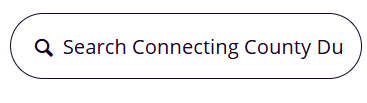
This search box is available on the home page and on the directory page.


Using a postcode

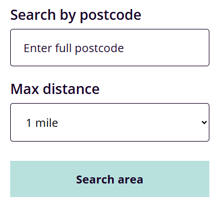
Just looking for what’s in your area? Enter your postcode to see services near you, and set the distance radius to control how far the search goes.
 

Filtering your search results

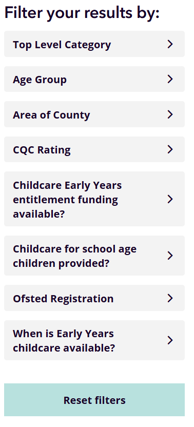
You can also narrow down your results using the filters on the left-hand side, such as age group, area of county and who the support is for.
Viewing on the map

You can also view your search results on a map by using the ‘Show/Hide Map’ button.

The map is interactive, and you can click on the pins to open service listings directly.


All of these search options can be used together to help you find exactly what you’re looking for.

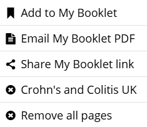
 

You can save pages or services you are interested in by adding them to My Booklet.


Click the Add to Booklet button on any service page.

When you're ready, go to My Booklet at the top of the screen to view everything you've saved.

From here you can share your booklet link or email it as a pdf. 


I can’t find what I’m looking for

If you can’t find a service through the search, try:

  • Using different keywords or broader terms

  • Checking spelling and re-typing your search

  • Browsing by category rather than keyword

Making the site more accessible

We want this site to be as accessible as possible.

  • You can adjust text size and colours using your the site settings at the top of the page


  • The site works with screen readers

  • Pages are designed to be simple, clear, and easy to navigate

If you have suggestions on how we can make the site easier to use, please let us know through the Contact Us page.

Answers to common queries

For answers to any common queries please view our FAQs page which may be able to help. If this does not answer your query then please Contact Us.